


By Tom Hermstad | President, HD Tech | 30+ Years in IT Security
322 Main St #4, Seal Beach, CA 90740 | 877-540-1684
Last updated: March 2026
The Real Cost of IT Downtime in 2026: What SMBs Need to Understand
IT downtime is not just an inconvenience — it is one of the most expensive problems a small or mid-sized business can face. Datto’s 2023 research found that the average cost of downtime for SMBs is $8,000 per hour, and Gartner pegs the broader average at $5,600 per minute for network downtime. Yet most business owners in Orange County and Los Angeles have never calculated what a single hour of downtime actually costs their specific company. This guide breaks down the real numbers, shows you how to calculate your own exposure, and explains exactly what separates businesses that recover in minutes from those that lose hundreds of thousands of dollars.
How Much Does IT Downtime Cost Per Minute?
IT downtime costs between $93 and $9,000 per minute depending on company size, industry, and the type of outage. Gartner’s widely cited figure is $5,600 per minute as a cross-industry average. The Ponemon Institute puts the number at $9,000 per minute for mid-sized businesses specifically.
These numbers sound extreme until you break them down. A 50-person company with an average salary of $80,000 per year pays $38.46 per hour per employee. When systems go down and all 50 employees cannot work, that is $1,923 per hour in labor costs alone — before you factor in lost revenue, recovery expenses, customer churn, or emergency vendor fees. ITIC’s 2024 survey found that 91% of mid-sized enterprises report that a single hour of downtime costs their organization $300,000 or more. For smaller businesses the dollar figure is lower, but the impact relative to revenue is often more devastating. A $500,000-per-year company losing $2,000 every hour of downtime feels that loss far more acutely than a Fortune 500 company absorbing millions.
What Is the Real Cost of Downtime for Small Businesses?
The real cost of downtime for small businesses ranges from $2,000 to $10,000 per hour when you include labor, lost revenue, recovery costs, and reputation damage. Datto’s 2023 State of the Channel Ransomware Report found that SMBs pay an average of $8,000 per hour during downtime events — and most experience multiple events per year.
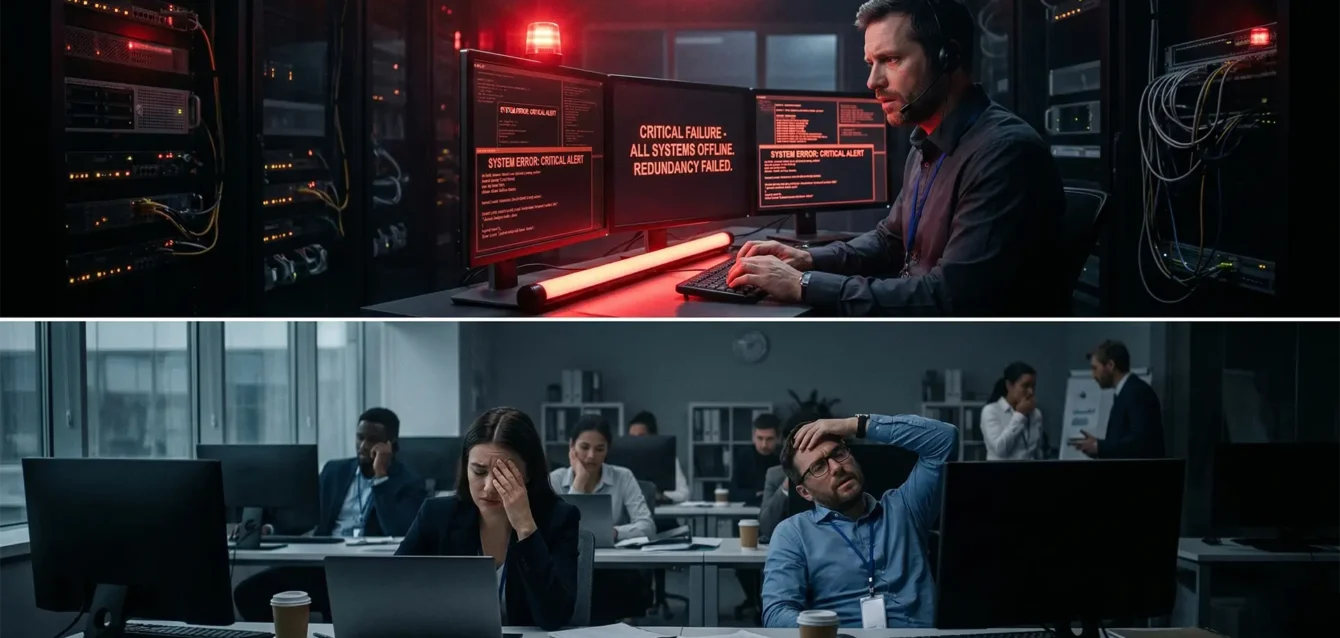
Small businesses get hit harder than large enterprises for a simple reason: they lack redundancy. When a 15-person accounting firm in Seal Beach loses its server during tax season, there is no backup data center to fail over to, no secondary internet connection to switch to, and no in-house IT team to troubleshoot at 2 AM. They call a break-fix technician who charges emergency rates — typically two to three times normal hourly fees — and they wait. Meanwhile, every employee sits idle, every client deadline slides, and every hour that passes erodes client trust that took years to build. The companies that survive downtime without catastrophic losses are the ones that invested in monitoring, redundancy, and documented disaster recovery before the outage happened — not after.
Can IT Downtime Be Prevented?
Most IT downtime is preventable. Hardware failures, ransomware attacks, human error, patch failures, and ISP outages — the five most common causes of downtime for SMBs — can all be mitigated or eliminated entirely with proactive monitoring, tested backups, redundant systems, and staff training.
The distinction is between reactive and proactive IT management. A reactive approach means you wait for something to break and then scramble to fix it. A proactive approach means your systems are monitored 24/7, anomalies are flagged before they become outages, backups are tested regularly so you know they actually work, patches are tested in a staging environment before deployment to production, and your internet connectivity has a failover path. Coveware’s research shows that the median recovery time from a ransomware attack is 24 days — but organizations with proper endpoint detection and response, security operations center monitoring, and tested backup and disaster recovery plans can reduce that to hours. The question is not whether downtime will happen. The question is whether you have built the infrastructure to make it a minor disruption or a business-ending event.
The Complete Guide to IT Downtime Costs for Small and Mid-Sized Businesses
I have been managing IT infrastructure for businesses across Orange County and Los Angeles since 1995. In thirty years, I have watched companies survive outages with barely a hiccup, and I have watched companies nearly go under because they did not know their server backup had been failing silently for six months. The difference between those two outcomes is never luck. It is preparation.
This guide exists because the page you are reading used to be a surface-level overview. That is not good enough for a topic this important. If you are a business owner, office manager, or operations leader at a company with 10 to 200 employees, this is the most thorough breakdown of downtime costs, causes, hidden expenses, and prevention strategies you will find anywhere. Every number cited here comes from a named source. Every recommendation comes from three decades of real-world experience keeping businesses running.
The Downtime Numbers Every Business Owner Should Know
Before we get into causes and prevention, let us establish the baseline. These are the most widely cited and methodologically sound downtime cost studies available as of 2026:
- Gartner: Average cost of network downtime is $5,600 per minute ($336,000 per hour) across industries
- Ponemon Institute: Average cost of downtime for mid-sized businesses is $9,000 per minute
- ITIC 2024 Hourly Cost of Downtime Survey: 91% of mid-sized enterprises say one hour of downtime costs $300,000 or more
- Datto 2023 State of the Channel Report: Average cost of downtime for SMBs is $8,000 per hour
- IBM Cost of a Data Breach 2024: Average breach cost reached $4.88 million, with an average of 258 days to identify and contain a breach
These numbers represent averages across thousands of organizations. Your actual cost depends on your company size, industry, revenue, and how prepared you are. That is why calculating your own number matters more than memorizing someone else’s.
The Downtime Cost Calculator: Know Your Number
Every business owner should know their hourly downtime cost. Here is the formula:
Hourly Downtime Cost = (Employees Affected × Average Hourly Cost) + (Revenue Lost Per Hour) + (Recovery Costs) + (Reputation Damage)
Let us walk through a real example using a 50-person company based in Orange County:
Step 1: Labor cost per hour of downtime
- 50 employees at an average salary of $80,000 per year
- $80,000 ÷ 2,080 working hours = $38.46 per hour per employee
- 50 employees × $38.46 = $1,923 per hour in idle labor costs
Step 2: Lost revenue per hour
- Annual revenue of $500,000
- $500,000 ÷ 2,080 working hours = $240 per hour (if revenue is directly tied to uptime)
- For a company doing $2 million annually: $962 per hour
Step 3: Recovery costs
- Emergency IT support at break-fix rates: $200–$400 per hour (2× to 3× normal managed service rates)
- Data recovery services if backups failed: $1,000–$10,000+
- Overtime for staff catching up after systems are restored
Step 4: Reputation and client impact
- Missed client deadlines, unresponsive phones and email
- Lost deals that were in progress during the outage
- Client churn — harder to quantify but often the largest long-term cost
Total for our example 50-person company: approximately $2,000 per hour minimum in direct costs alone. For a company with higher revenue or in a regulated industry, that number climbs to $10,000+ per hour rapidly. Scale that to a 24-day ransomware recovery and you are looking at $150,000 to $500,000+ in total impact.
The Seven Types of Downtime (It Is Not Just “The Server Crashed”)
Most business owners think of downtime as a single event: the server went down. In reality, downtime comes in seven distinct forms, each with different causes, durations, costs, and prevention strategies.
1. Ransomware Attack
Ransomware encrypts your files and demands payment for the decryption key. Coveware’s research shows the median recovery time is 24 days — not 24 hours, 24 days. During that time, your business operates at a fraction of capacity or not at all. IBM’s 2024 data shows the average breach cost has reached $4.88 million, with organizations taking an average of 258 days to identify and contain a breach. For an SMB, a ransomware attack can mean permanent closure. The cost is not just the ransom — it is the weeks of lost productivity, the emergency IT fees, the regulatory notifications, and the clients who leave because they lost trust.
2. Hardware Failure
Servers, switches, firewalls, and storage devices all have finite lifespans. A server hard drive failure with no redundancy means complete data loss until backups are restored — assuming the backups were working. Average duration ranges from 4 to 24 hours depending on whether replacement hardware is available and whether backups are current and tested. This is entirely preventable with proactive monitoring that tracks drive health, memory errors, CPU temperatures, and component age.
3. Cloud Service Outage
Microsoft 365, Google Workspace, and AWS all experienced major outages in 2024. When your email, file storage, and business applications live in the cloud and that cloud goes down, your business stops. Average duration for major cloud outages is 2 to 8 hours. You cannot prevent these outages, but you can mitigate the impact with hybrid architecture — keeping critical data accessible locally even when cloud services are unavailable.
4. Human Error
An employee accidentally deletes a shared drive. Someone misconfigures the firewall and locks out the entire office. A staff member clicks a phishing link and compromises their credentials. Human error is one of the most common causes of downtime and one of the most preventable through proper training, access controls, and change management procedures. Duration ranges from 1 to 4 hours for most incidents.
5. Natural Disaster
This is especially relevant for businesses in Southern California. Earthquakes, wildfires, floods, and mudslides can destroy physical infrastructure. If your only server sits in a closet in your Seal Beach office and that building floods, your data is gone unless you have off-site or cloud-based backups. The January 2025 wildfires in Los Angeles demonstrated exactly how quickly physical infrastructure can be destroyed — and how important geographic redundancy is for disaster recovery.
6. ISP Outage
If your business relies on a single internet service provider and that connection goes down, every cloud application, VoIP phone, email system, and web-based tool stops working. Duration ranges from 2 to 12 hours. The fix is straightforward: redundant ISP connections with automatic failover. A secondary connection from a different provider on a different infrastructure path ensures that a single cut fiber or equipment failure does not take your business offline.
7. Software Update Failure
A Windows update breaks a critical line-of-business application. A firmware update bricks a firewall. A database patch corrupts records. These failures happen regularly when patches are applied directly to production systems without testing. Duration ranges from 1 to 8 hours. Prevention requires a patch management process that tests updates in a staging environment before deploying to production, and schedules deployments during off-hours with rollback plans ready.
Downtime Cost by Cause: The Comparison
| Downtime Cause | Average Duration | Average Cost (50-Person Company) | Preventable? |
|---|---|---|---|
| Ransomware attack | 24 days | $150,000–$500,000+ | Yes — EDR, SOC monitoring, staff training |
| Hardware failure | 4–24 hours | $8,000–$48,000 | Yes — proactive monitoring, replacement plan |
| Cloud service outage | 2–8 hours | $4,000–$16,000 | Partially — hybrid architecture mitigates impact |
| Human error | 1–4 hours | $2,000–$8,000 | Yes — training, access controls, change management |
| ISP outage | 2–12 hours | $4,000–$24,000 | Yes — redundant ISP with automatic failover |
| Software update failure | 1–8 hours | $2,000–$16,000 | Yes — test before deploy, rollback plans |
| Natural disaster | Days to weeks | $50,000–$500,000+ | Partially — off-site backups, geographic redundancy |
The Hidden Costs Most Businesses Miss
When business owners think about downtime costs, they usually think about the obvious: systems are down, people cannot work, revenue stops. But the real financial damage often comes from costs that never appear on a single invoice.
Employee Productivity Loss Beyond the Outage
When systems go down, employees do not just stop working for the duration of the outage. They lose context on what they were doing. They spend time after systems are restored figuring out where they left off, re-doing work that was lost, and catching up on the backlog that accumulated. Studies consistently show that the productivity impact of an outage extends 2 to 3 times beyond the actual downtime window. A 4-hour outage creates 8 to 12 hours of reduced productivity across the organization.
Customer and Client Trust Damage
If you are a law firm and your client cannot reach you for 6 hours during a critical filing deadline, that client will remember. If you are a construction company and your project management system goes down during bid week, you lose bids. If you are an accounting firm and your client portal is unreachable during tax season, your clients start looking for a new accountant. Trust damage does not show up on a balance sheet, but it is often the most expensive consequence of downtime. Acquiring a new client costs 5 to 7 times more than retaining an existing one.
Regulatory Penalties
If your business handles protected health information under HIPAA, defense contracts under CMMC, or financial data under various compliance frameworks, downtime that involves data loss or unauthorized access triggers mandatory reporting requirements. HIPAA breach notification penalties range from $100 to $50,000 per violation, with an annual maximum of $1.5 million per violation category. CMMC non-compliance can mean losing your ability to bid on Department of Defense contracts entirely. These penalties apply regardless of whether the downtime was caused by a cyberattack or a simple hardware failure that resulted in data exposure.
Overtime Costs for Recovery
After systems are restored, someone has to catch up on the work that did not happen during the outage. That means overtime — often at 1.5 times the normal rate. For a 50-person company recovering from a full-day outage, overtime costs to catch up can easily reach $5,000 to $15,000 over the following week.
Emergency Vendor Rates
If you do not have a managed IT provider and you need someone to fix a critical system failure at 10 PM on a Friday, you are paying emergency rates. Break-fix IT technicians typically charge 2 to 3 times their standard hourly rate for after-hours and emergency work. A problem that would cost $200 per hour during normal business hours becomes $400 to $600 per hour when it is urgent. Managed service providers with flat-rate pricing eliminate this cost entirely — your monthly fee covers emergencies the same as routine support.
Data Loss When Backups Were Not Working
This is the hidden cost that destroys businesses. You assumed your backups were running. Your previous IT provider told you backups were configured. But no one ever tested a restore. When the outage happens and you need those backups, you discover they have been failing silently for months — or they are backing up the wrong data, or the backup media is corrupted, or the retention period expired and your most critical data is gone. Professional data recovery services cost $1,000 to $10,000 or more, with no guarantee of success. Some data simply cannot be recovered. This is why tested backup and disaster recovery with documented RPO (recovery point objective) and RTO (recovery time objective) is non-negotiable.
How Proactive IT Management Prevents Downtime
The entire concept of managed IT services exists because of one simple truth: preventing downtime costs a fraction of recovering from it. Here is specifically what proactive management looks like and how each component prevents the downtime scenarios outlined above.
24/7 Monitoring and Alerting
Every server, workstation, network device, and critical application is monitored continuously. When a hard drive begins showing SMART errors indicating imminent failure, we know about it days or weeks before it fails — and replace it during a scheduled maintenance window with zero downtime. When a server’s CPU utilization spikes abnormally at 3 AM suggesting a compromised process, our security operations center investigates immediately rather than waiting until employees arrive at 8 AM to discover ransomware has been encrypting files for five hours.
AI-Powered Anomaly Detection in the SOC
Modern security operations center monitoring uses artificial intelligence to establish baseline behavior patterns for every device and user on your network. When something deviates from that baseline — a user account accessing files it has never touched, network traffic flowing to an unusual destination, a process consuming resources in an atypical pattern — the system flags it for human review. This catches threats that signature-based antivirus misses entirely, including zero-day attacks and insider threats.
Tested Backup and Disaster Recovery
Having backups is not the same as having tested backups. We document RPO and RTO for every client: RPO defines the maximum acceptable data loss (how old can the backup be), and RTO defines the maximum acceptable downtime (how quickly must systems be restored). Then we test restores regularly to verify that those targets are actually achievable. When a disaster occurs, there is no guessing — we know exactly how long recovery will take because we have practiced it.
Redundant Systems and Failover Configurations
Critical systems have redundancy built in. Redundant internet connections from different providers ensure that a single ISP outage does not take the business offline. Redundant power supplies and UPS systems prevent power fluctuations from causing outages. Redundant storage configurations ensure that a single drive failure does not result in data loss. For businesses where uptime is critical, redundant server configurations with automatic failover mean that a hardware failure on the primary server triggers an automatic switchover to the secondary with minimal or zero interruption.
Patch Management Done Right
Patches are tested in a staging environment before deployment to production systems. Updates are scheduled during off-hours to minimize business impact. Rollback plans are documented and ready before every deployment. Critical security patches are prioritized and deployed rapidly. Non-critical updates are batched and deployed on a regular schedule. This eliminates the “patch broke our critical application” scenario entirely.
Under 4-Minute Response Time
When an issue does occur despite all preventive measures, response time determines whether it becomes a 10-minute inconvenience or a 10-hour outage. Our average response time is under 4 minutes. That means the moment an alert fires or a user reports a problem, someone is already working on it. Compare that to the break-fix model where you call a technician, leave a voicemail, wait for a callback, explain the problem, schedule an on-site visit, and then wait for them to arrive. That process can take hours before anyone even begins troubleshooting.
Break-Fix vs. Managed IT: The Downtime Comparison
| Factor | Break-Fix IT | Managed IT (HD Tech) |
|---|---|---|
| Monitoring | None — you discover problems when they cause outages | 24/7 monitoring catches issues before they become outages |
| Response time | Hours to days depending on technician availability | Under 4 minutes average |
| Emergency cost | $200–$600/hr emergency rates | Included in flat monthly rate |
| Backup testing | Rarely or never tested | Regularly tested with documented RPO/RTO |
| Patch management | Applied ad hoc, often directly to production | Tested in staging, deployed off-hours with rollback plans |
| Redundancy | Whatever the business set up themselves | Designed, implemented, and maintained by engineers |
| Average annual downtime | Multiple significant outages per year | Minimal — most issues resolved before users notice |
| Pricing model | Unpredictable — costs spike during emergencies | Flat-rate — predictable monthly cost |
Industry-Specific Downtime Risks in Orange County and Los Angeles
Different industries face different downtime risks and consequences. Here is what we see most frequently across our client base in Orange County and LA.
Law Firms
Court filing deadlines do not move because your server went down. A missed filing can mean sanctions, malpractice exposure, or a lost case. Law firms also face confidentiality obligations under ABA Model Rule 1.6 — downtime that results in data exposure creates ethics violations on top of the business disruption. Read our full guide on cybersecurity for law firms.
Accounting and CPA Firms
Tax season downtime is catastrophic. A 24-hour outage in March or April means missed filing deadlines for dozens or hundreds of clients, extension filings, potential penalties, and a client trust crisis that can take years to recover from. Read our accounting firm cybersecurity guide.
Defense Contractors
CMMC compliance requires documented incident response and recovery procedures. Downtime that involves potential data compromise requires mandatory reporting. Non-compliance can mean losing your ability to bid on DoD contracts — which for many defense contractors in Orange County is their entire revenue stream. Read our CMMC compliance guide.
Construction and Trades
Project management systems, estimating software, and bid platforms going down during bid week can mean losing contracts worth hundreds of thousands of dollars. Construction companies increasingly rely on cloud-based tools for everything from scheduling to material ordering — and every one of those tools requires reliable connectivity and infrastructure. Read our guide on cybersecurity for construction companies.
Your Downtime Prevention Checklist
Whether you work with HD Tech or another provider, these are the minimum requirements for downtime prevention that every SMB should have in place:
- 24/7 monitoring on all servers, network devices, and critical workstations
- Tested backup and disaster recovery with documented RPO and RTO — test restores quarterly at minimum
- Redundant internet connectivity from two different providers on different infrastructure paths
- Endpoint detection and response (EDR) on every device — not just antivirus, actual EDR with behavioral analysis
- Security operations center monitoring with AI-powered anomaly detection
- Patch management process that tests before deploying and includes rollback plans
- Employee security training covering phishing, social engineering, and safe computing practices
- Documented incident response plan that every stakeholder has reviewed
- UPS and power protection on all critical infrastructure
- Hardware lifecycle management replacing equipment before it reaches end of life
If you cannot check every item on this list, you have downtime exposure that is costing you money — either through actual outages or through the risk premium of operating without protection.
What to Do Right Now
Calculate your hourly downtime cost using the formula above. Write that number down. Then ask yourself: does your current IT setup prevent or respond to the seven types of downtime listed in this guide? If the answer is no — or if you are not sure — that is the gap where six-figure losses live.
HD Tech has been keeping businesses running in Orange County and Los Angeles since 1995. We offer flat-rate managed IT services with 24/7 monitoring, AI-powered SOC, tested backup and disaster recovery, and an average response time under 4 minutes. We are based in Seal Beach, and we work with companies from 10 to 200 employees across every industry.
Call us at 877-540-1684 or request a free IT assessment to find out exactly where your downtime vulnerabilities are — before they become an outage that costs you real money.
Frequently Asked Questions About IT Downtime Costs
What is the average cost of IT downtime per hour?
The average cost varies significantly by company size. Gartner reports $5,600 per minute ($336,000 per hour) as a cross-industry average. For SMBs specifically, Datto’s 2023 research found an average of $8,000 per hour. A 50-person company with average salaries of $80,000 can expect a minimum of $2,000 per hour in direct labor costs alone, with total costs climbing much higher once you factor in lost revenue, recovery expenses, and reputation damage.
How long does it take to recover from a ransomware attack?
Coveware’s research shows the median recovery time from a ransomware attack is 24 days. IBM’s 2024 Cost of a Data Breach report found that organizations take an average of 258 days to identify and contain a breach. Organizations with proper endpoint detection and response, tested backups, and an incident response plan can reduce recovery time to hours or days rather than weeks. The difference is preparation.
What is the most common cause of IT downtime for small businesses?
Hardware failure and human error are the two most common causes of IT downtime for small businesses. Aging servers with failing hard drives, misconfigured firewalls, accidentally deleted files, and employees clicking phishing links account for the majority of incidents. Both causes are largely preventable with proactive monitoring, regular hardware replacement, access controls, and staff security awareness training.
Does cyber insurance cover downtime costs?
Most cyber insurance policies include business interruption coverage, but the details matter. Policies typically have waiting periods of 8 to 24 hours before coverage begins, sublimits that cap payout below your actual losses, and exclusions for incidents caused by failure to maintain reasonable security measures. If you lacked basic protections like endpoint detection or tested backups, your insurer may deny the claim. Insurance is a safety net, not a substitute for prevention.
How can I calculate my company’s specific downtime cost?
Use this formula: (employees affected multiplied by average hourly wage) plus (annual revenue divided by 2,080 working hours) plus estimated recovery costs. For a 50-person company with $80,000 average salaries and $500,000 in annual revenue, that is roughly $1,923 per hour in labor plus $240 per hour in lost revenue — approximately $2,163 per hour before recovery costs, overtime, and reputation damage are factored in.
What is the difference between RPO and RTO?
RPO (Recovery Point Objective) is the maximum amount of data your business can afford to lose, measured in time. An RPO of 1 hour means your backups must be no more than 1 hour old. RTO (Recovery Time Objective) is the maximum amount of time your business can tolerate being down. An RTO of 4 hours means systems must be restored within 4 hours. Both should be documented and tested regularly.
Is cloud-based infrastructure more reliable than on-premises servers?
Cloud infrastructure from major providers like Microsoft Azure and AWS offers higher uptime guarantees than most on-premises setups — typically 99.9% or higher. However, cloud introduces a dependency on internet connectivity that on-premises does not. The most resilient approach for most SMBs is hybrid architecture: critical data and applications accessible both in the cloud and locally, with redundant internet connections. This protects against both local hardware failures and cloud service outages.