


Are employees already using AI without approval?
Yes. In most organizations, employees are already using tools like ChatGPT, Copilot, Claude, or Gemini for emails, document summaries, research, and data analysis — often without formal oversight or policy.
Is employee AI usage a cybersecurity risk?
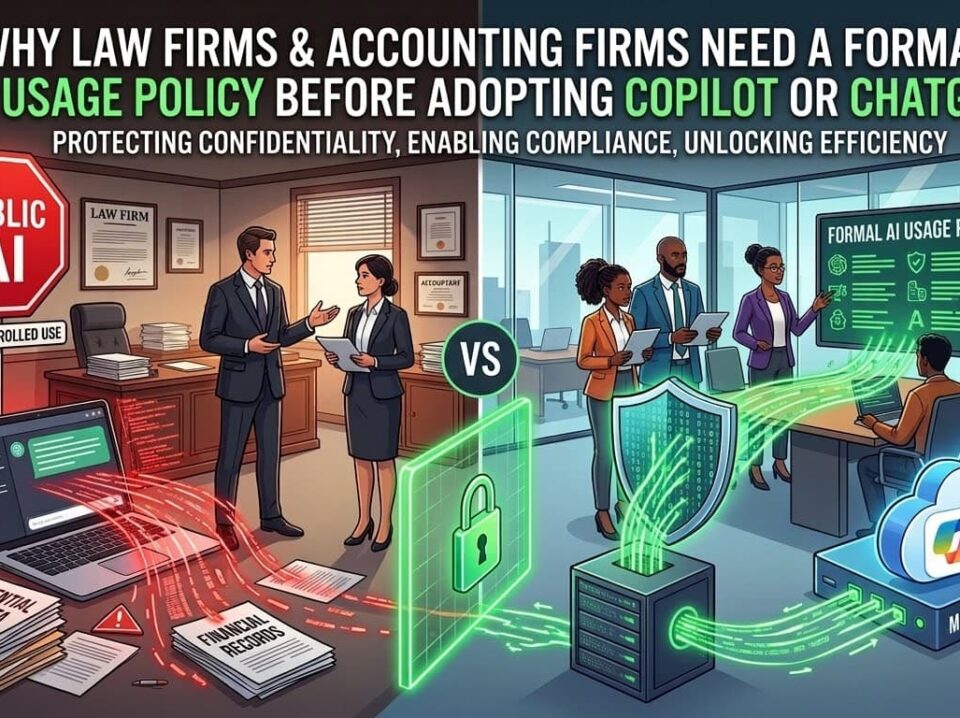
It can be. When staff paste confidential contracts, financial data, HR records, or proposal content into public AI tools, it may create compliance violations, data leakage, and contractual liability.
What’s the first step to control AI use in my company?
Start with an AI usage assessment and implement a formal AI usage policy before enabling enterprise AI tools like Microsoft Copilot.
The AI Reality in Today’s Workplace
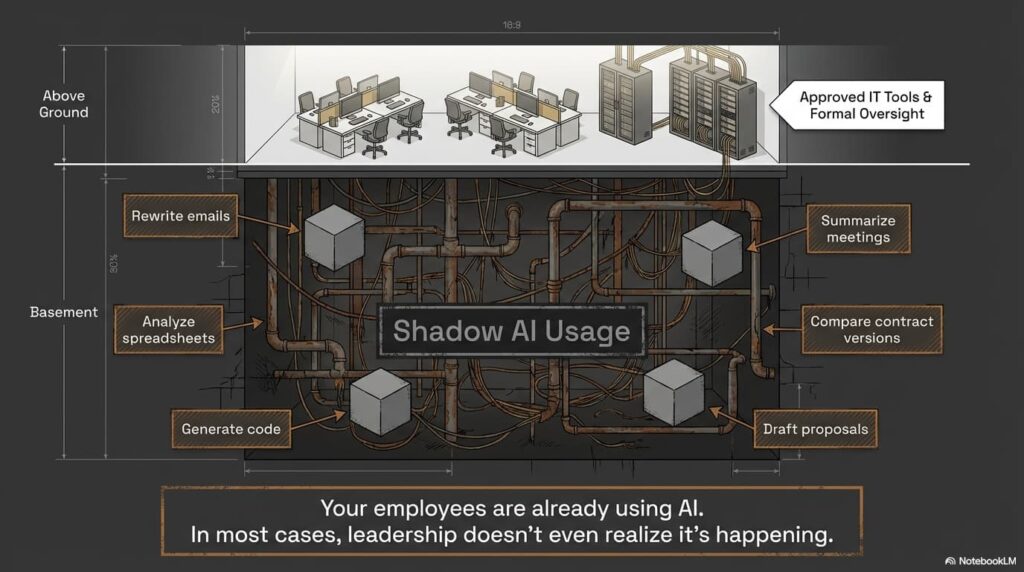
AI is quietly becoming part of daily workflows across industries.
Employees are using AI to:
- Rewrite emails to sound more professional
- Summarize meetings
- Analyze spreadsheets
- Compare contract versions
- Generate code
- Draft proposals
In many cases, leadership doesn’t even realize it’s happening.
And that’s the risk.
Why Uncontrolled AI Usage Is a Business Liability
When AI tools are used informally, companies lose visibility into:
- What data is being shared
- Where that data is stored
- Whether it is used to train public models
- Who has access to the output
Uncontrolled AI usage can lead to:
- Confidentiality breaches
- Regulatory violations
- Loss of competitive advantage
- Reputational damage
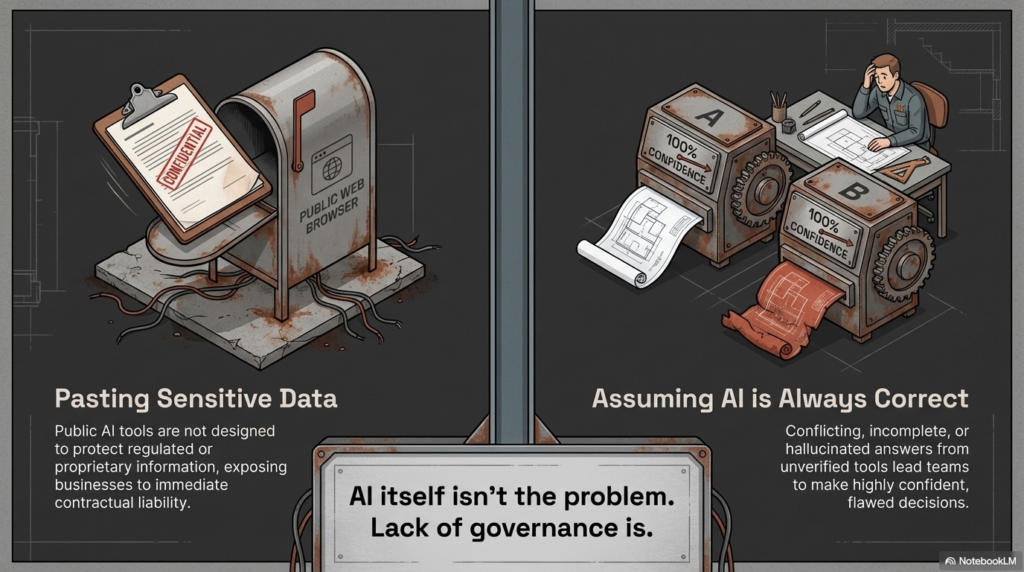
AI itself isn’t the problem.
Lack of governance is.
The Most Common AI Risks We See
Pasting Sensitive Data into Public AI Tools
Employees often copy and paste:
- Client contracts
- Financial statements
- HR documentation
- Engineering specifications
- Proposal language
Public AI tools are not designed to protect regulated or proprietary information.
Assuming AI Is Always Correct
AI platforms can generate authoritative-sounding responses that are incomplete or incorrect.
We’ve seen situations where:
- One AI tool gives one answer
- Another tool gives a conflicting answer
- Both sound confident
Without verification, teams can make flawed decisions.
No Policy, No Guardrails
Many organizations operate with:
- No written AI policy
- No approved AI tool list
- No monitoring
- No logging
That creates inconsistent, risky usage across departments.
What Secure AI Adoption Looks Like
AI can absolutely improve productivity.
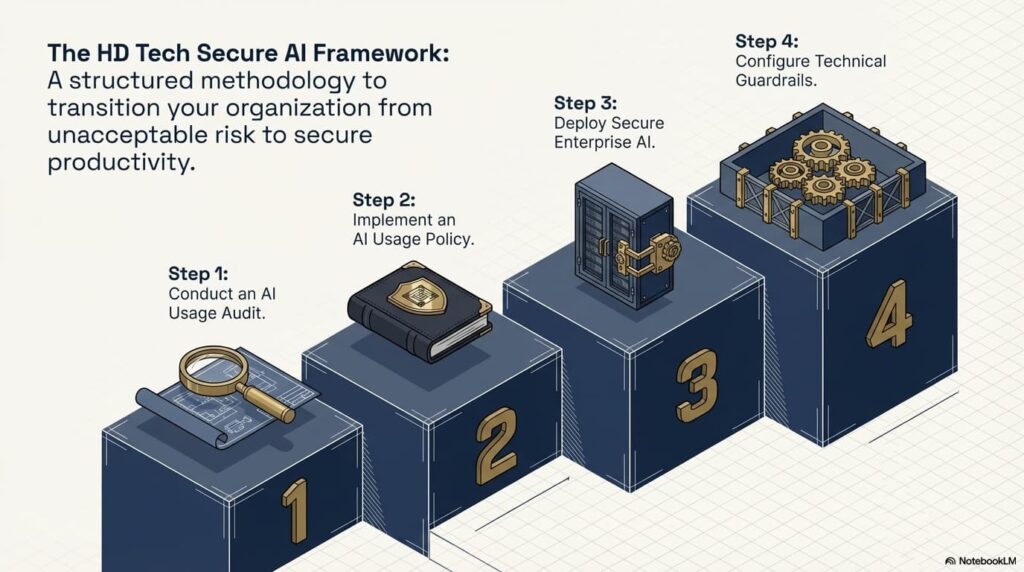
But it must follow a structured framework.
Step 1: Conduct an AI Usage Audit
Identify:
- Which AI tools employees are currently using
- What types of data are being entered
- Whether enterprise AI licenses are already in place
You can’t control what you can’t see.
Step 2: Implement an AI Usage Policy
Your policy should clearly define:
- Approved and prohibited AI tools
- What data can and cannot be entered
- Required authentication standards
- Review and oversight procedures
- Incident reporting protocols
This protects both leadership and staff.
Step 3: Deploy Secure Enterprise AI
For Microsoft-based businesses, Copilot offers:
- Tenant-level data protection
- No public training on your work data
- Identity-based access control
- Administrative oversight
- Logging and monitoring capabilities
This allows AI productivity without exposing confidential information.
Step 4: Configure Technical Guardrails
Inside Microsoft 365, you can:
- Restrict data sharing
- Enforce multi-factor authentication
- Enable audit logging
- Apply data loss prevention policies
- Segment access based on role
Technology must reinforce policy.
How We Use AI Inside Managed IT & Security Operations
As a Managed Service Provider and cybersecurity partner, we use AI every day — but never without oversight.
We leverage AI to:
- Monitor endpoints and servers for anomalies
- Flag suspicious activity for human review
- Summarize internal meetings
- Streamline help desk documentation
- Assist with coding and automation
- Analyze ticket trends and performance data
But every AI-generated alert is reviewed by real professionals.
AI assists. Humans validate.
That’s the model every organization should follow.
Industries at Higher AI Compliance Risk
If your business operates in:
- Defense Contracting
- Law
- Accounting
- Healthcare
- Construction
- Manufacturing
- Professional Services
You likely handle:
- Sensitive client data
- Regulated information
- Proprietary intellectual property
The longer AI usage remains informal, the greater the risk becomes.
Why Choose HD Tech for Secure AI Deployment?
HD Tech delivers comprehensive managed IT services and cybersecurity for growing businesses nationwide. We are based in Orange County, California, and support organizations across the United States.
Since 1996, we’ve protected over 100 companies across defense, law, construction, accounting, manufacturing, and professional services.
We provide:
- 24/7 IT monitoring
- Rapid incident response
- Enterprise-grade cybersecurity
- Secure Microsoft 365 configuration
- Copilot deployment and governance
- AI usage policy development
- Ongoing monitoring and compliance alignment
We don’t just enable AI tools.
We secure them, monitor them, and align them with your business risk profile.
Frequently Asked Questions About AI Security
Should we block all public AI tools in our company?
Not necessarily. Some businesses restrict public AI tools entirely, while others allow limited use for non-sensitive tasks. The key is defining clear boundaries and enforcing them through policy and technical controls.
How do I know if employees are already using AI?
Review browser logs, SaaS usage reports, and workflow patterns. A structured AI risk assessment can reveal shadow usage across departments.
Is Microsoft Copilot completely risk-free?
No technology is risk-free. However, when properly configured within your Microsoft tenant, Copilot significantly reduces the risks associated with public AI platforms.
Can AI help improve cybersecurity?
Yes. AI-assisted monitoring can detect anomalies faster and surface potential threats for human review. However, AI should augment — not replace — skilled analysts.
What industries face the highest AI compliance risk?
Defense contractors, law firms, CPA firms, healthcare organizations, and financial services firms face heightened exposure due to regulatory and confidentiality obligations.
Ready to Take Control of AI in Your Business?
AI is already inside your organization.
The only question is whether it’s governed — or unmanaged.
HD Tech provides comprehensive managed IT services and cybersecurity for growing businesses nationwide. Based in Orange County, California, we deliver 24/7 monitoring, rapid incident response, and enterprise-grade cybersecurity.
If you want to implement AI guardrails before it becomes a security incident,
Call HD Tech today at 877-540-1684.
Secure your AI strategy before it creates unnecessary risk.